Features
What BlindHotel does for each person on your team
Everyone sees their own work, in plain words. Here is what each role gets.
Owner
Know how the hotel is doing without asking anyone.
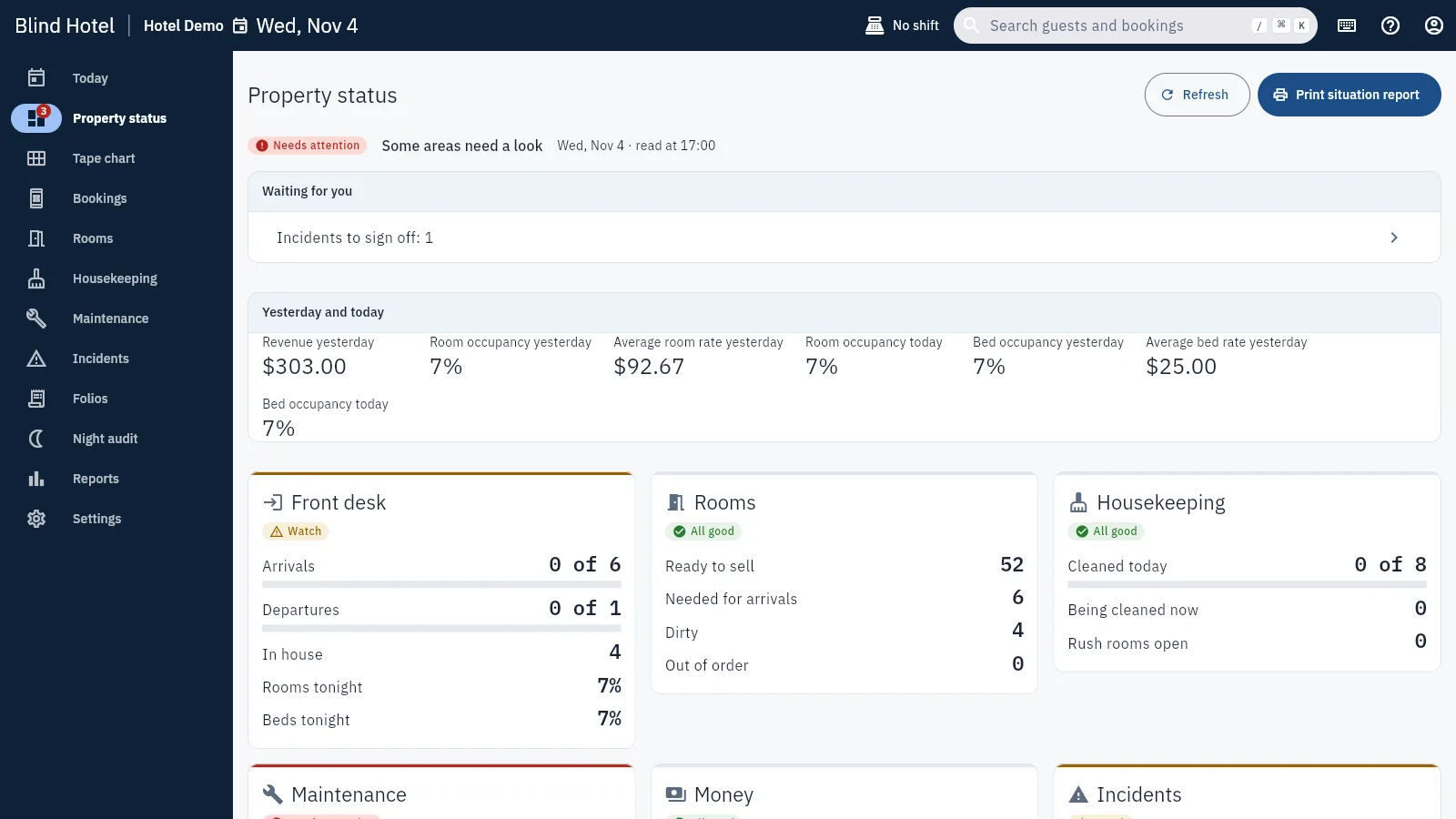
- Property status answers “is anything wrong?” on one screen: front desk, rooms, housekeeping, maintenance, money and incidents, each in green, amber or red.
- Reports for the desk, housekeeping and money, including a manager's flash with revenue, ADR and RevPAR for today, the month and the year against last year. Every report: preview, print, CSV or Excel.
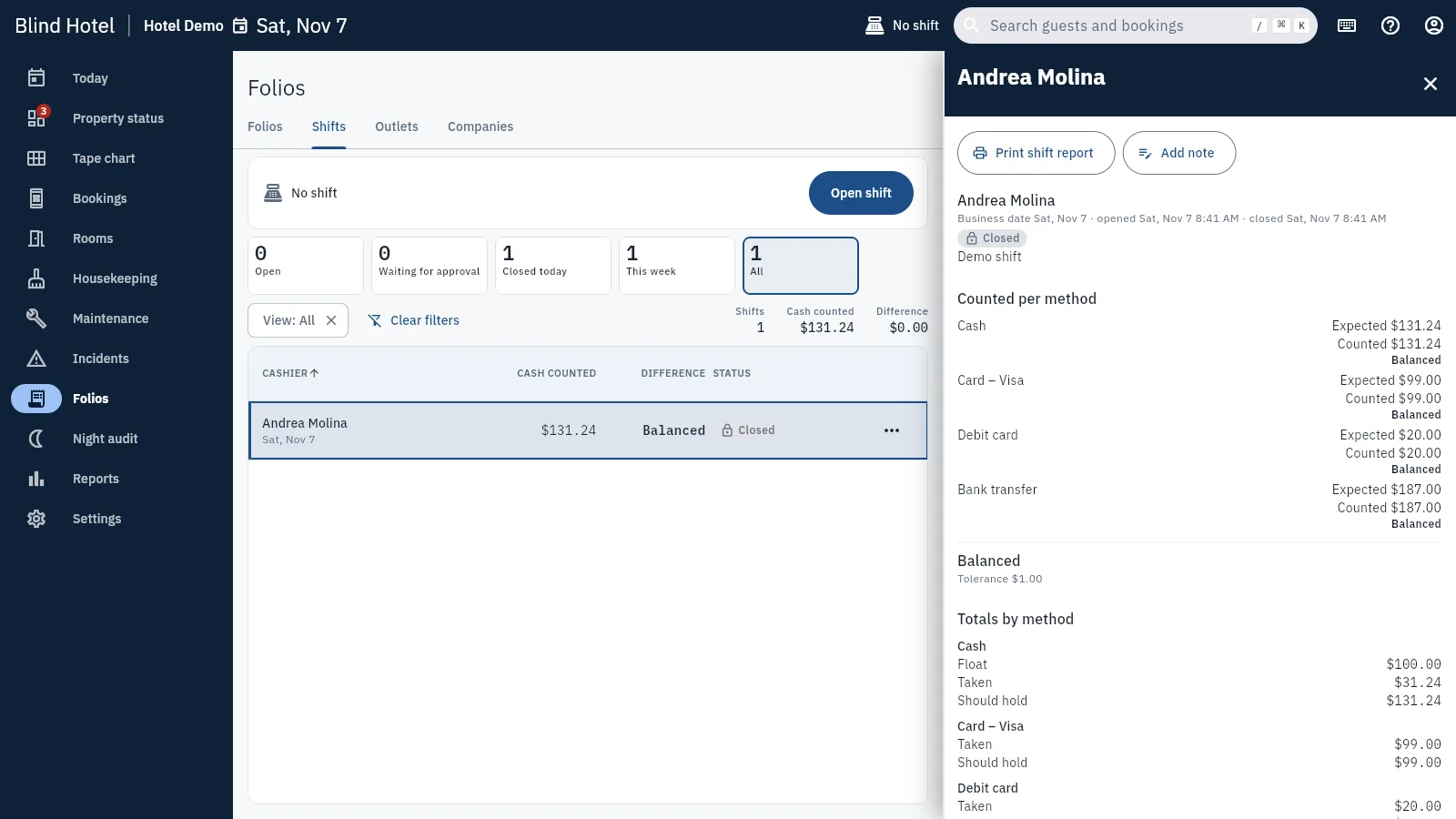
- Cash control: each cashier shift is counted against what was expected, and a day that is closed cannot be reopened.
- Print a one-page situation report for a meeting, and read the shift notes the team leaves for each other.
Manager
Run the day, with a work list instead of a pile of screens.
- Needs attention lists what is wrong right now, in words, and shift notes carry the handover from one shift to the next. The shift panel shows what was counted, how it balanced, and prints for the file.
- The housekeeping overview answers one question: will the rooms be ready for the arrivals?
- Waivers, overrides and resets ask for a reason and are written to the history. Staff and access are managed in one place.
- Rate plans for every channel and agency: percentage or fixed differences from your standard price, seasons, weekday prices and restrictions.
Front desk
The daily jobs, done where they are listed.
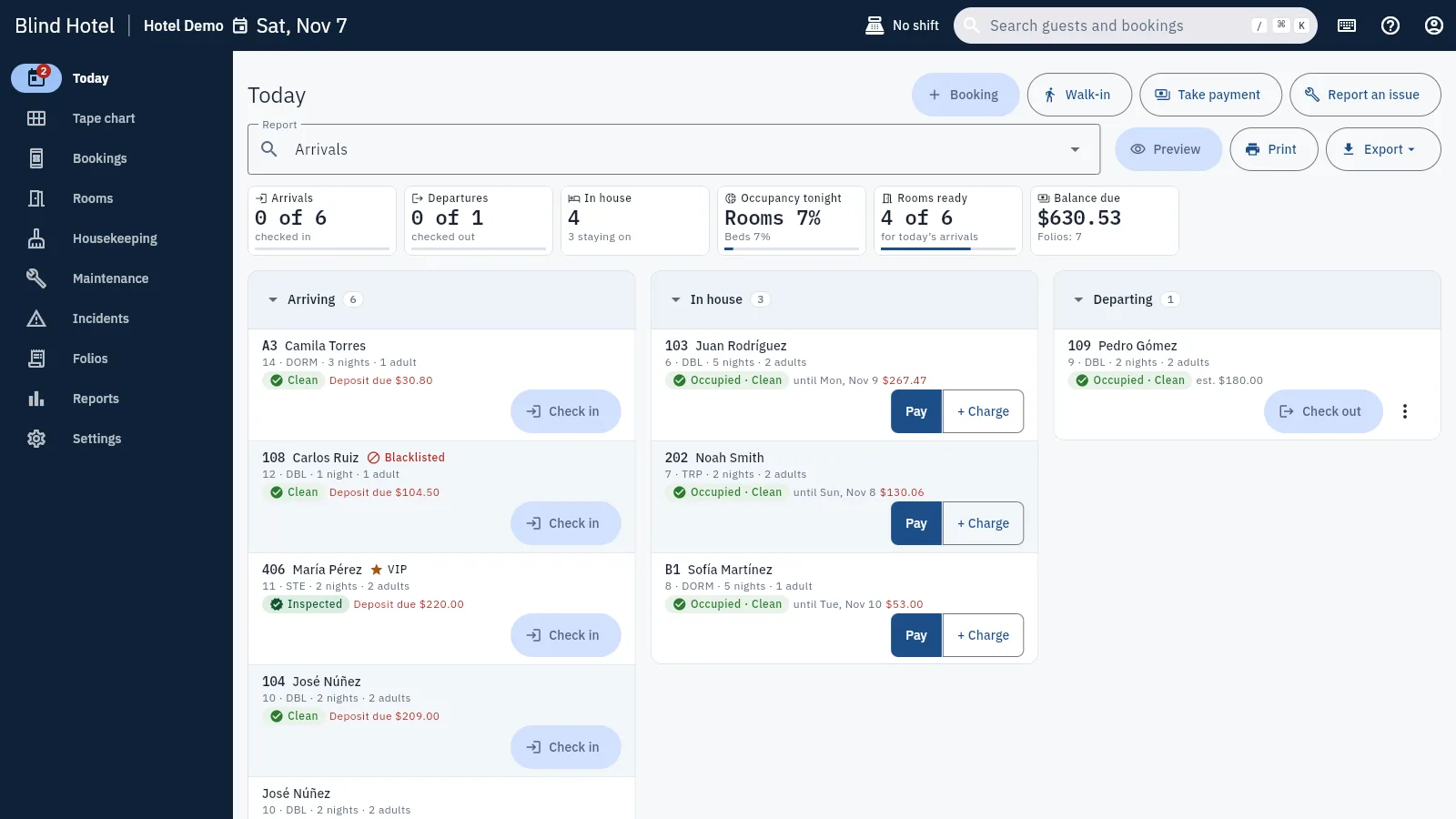
- Check in, take a payment and check out from the guest's row on Today. The defaults are usually right.
- When a button is off, the screen says what is missing and why, instead of leaving you guessing.
- Money mistakes are hard to make: blind cash count, payments that cannot be taken twice, a prompt for late check-out, and an undo for a check-out.
- Press Ctrl+K to find any guest, booking or folio and do the next thing. Warnings show on the row: blacklisted, VIP, deposit due, room ready.
Housekeeping
From the supervisor's plan to the attendant's phone.
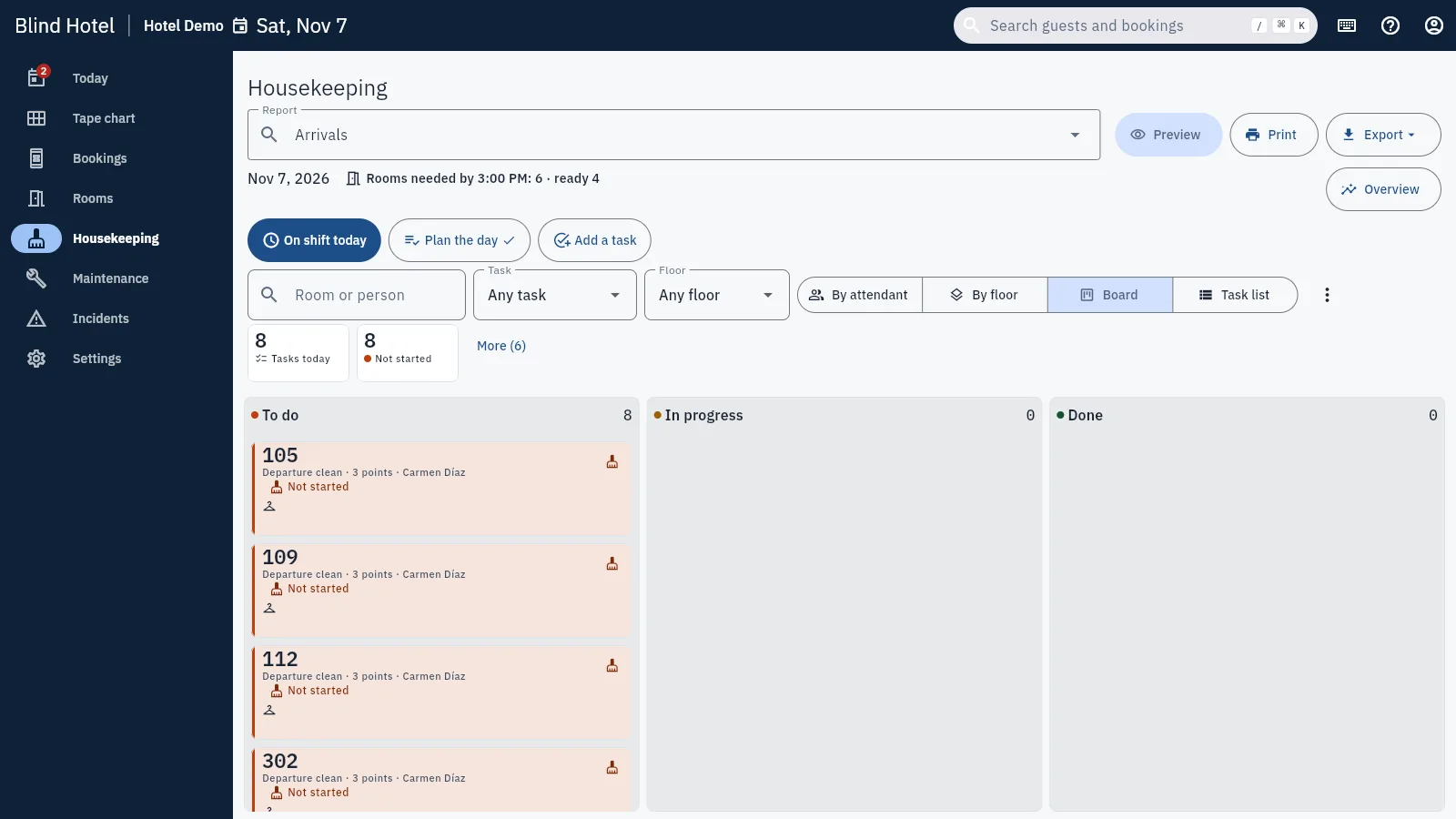
- Plan the morning in one pass: tick who is working, preview the split by floor, apply it, and undo if you change your mind.
- Points make the split fair: a departure clean, a stayover and a deep clean do not weigh the same.
- See how many rooms are needed by arrival time and how many are ready, so the desk knows what it can promise.
- Attendants open a simple page for their day on a phone: Start, Done, and report a fault in two taps. A rush room reaches their list.
Night audit
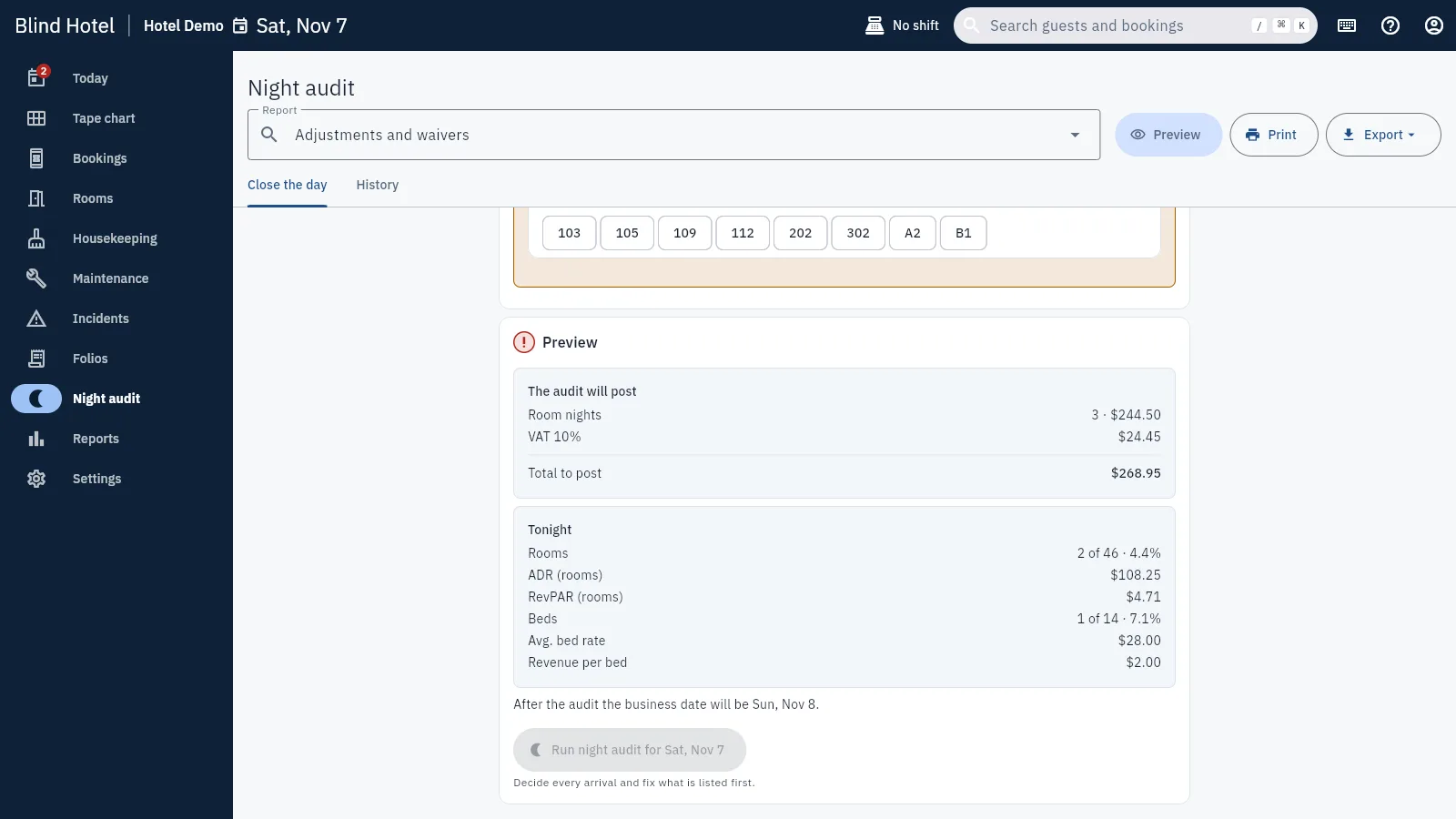
Close the day in five guided steps.
- Arrivals, departures, cashier, checks and preview: one step at a time, each saying what is left to do.
- Only what must be cleared stops you. Warnings are shown, and you can run the audit anyway.
- A preview shows the night's room charges, tax, ADR and RevPAR and the next business date before you press Run.
- The report pack comes as one PDF and doubles as a paper backup. A closed day cannot be reopened, so corrections go on the next day.
Maintenance
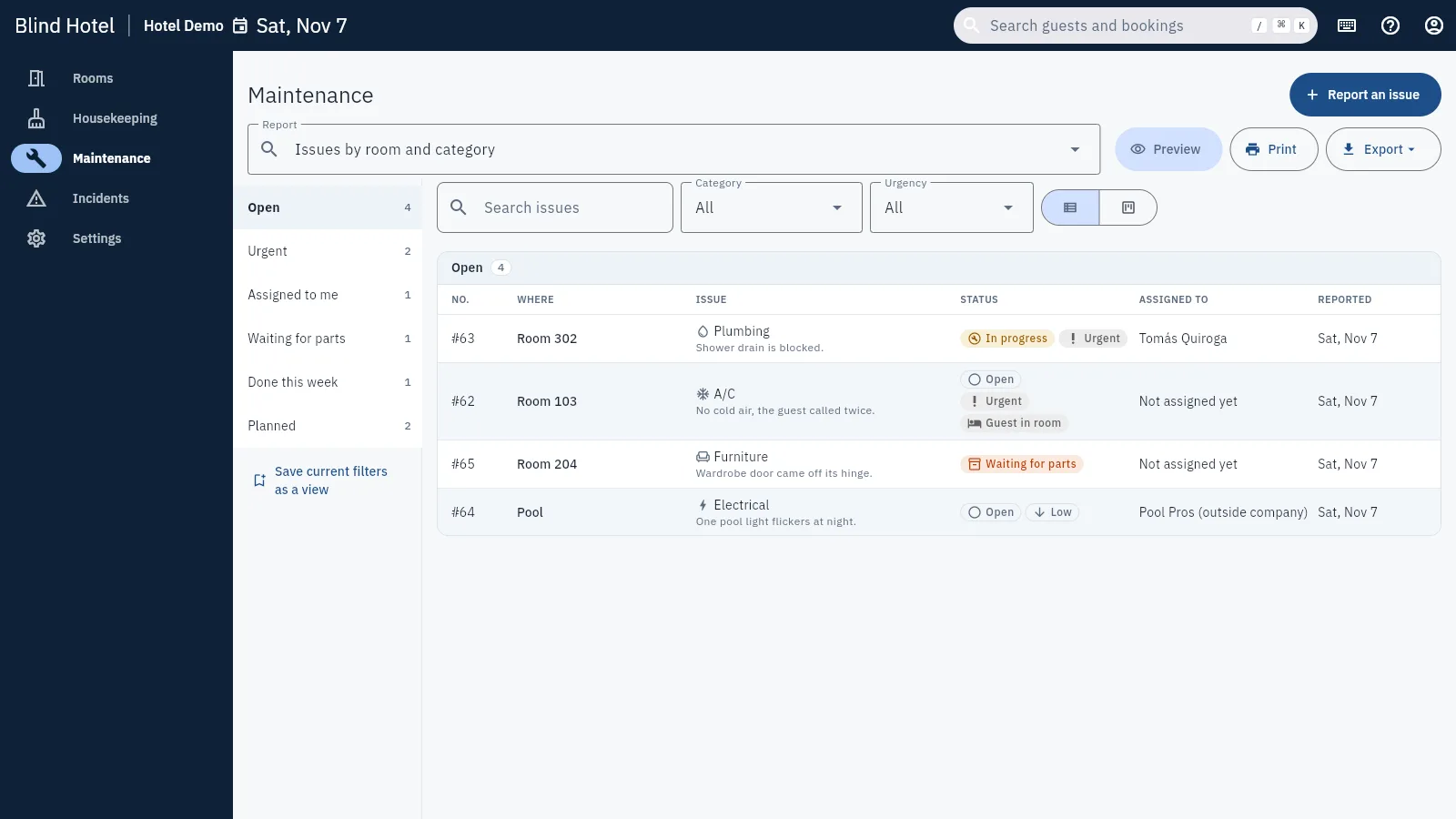
Fix the urgent faults first, and know who is waiting.
- A banner shows when a guest is in the room, so an urgent fault is obviously urgent.
- Filters for Open, Urgent and Assigned to me, and a list or a board, whichever you prefer.
- “Room can't be used” on the ticket takes the room out of sale until the fault is fixed.
- Housekeepers report faults from the room's card in two taps, and they land here.
Under the hood
Built to be trusted
A few things work the same for everyone.
No double bookings
The database refuses two guests in one room on the same night.
Money history stays honest
A payment or charge is never edited or deleted. A mistake is fixed with a reversal, so you can always see what happened.
Everyone sees their own work
Roles decide what each person can see and do. Owners and managers sign in with two steps.
Every change is recorded
Bookings, money, prices and settings changes are saved with who made them and when.
Take a look
Look around a hotel that is already running
The demo hotel is full of sample bookings. Open it, click anything, and see if it fits your hotel. Nothing to sign up for.